
SDi2

pion-background-detail

FAQs

Support
I have lost communication with the Heater?

To re-establish comms with the heater, please use this document as a reference – SEP.SDi2.001 Document Link

If the problem persists, please open a ticket .

Open Ticket

To re-establish comms with the heater, please use this document as a reference – SEP.SDi2.001 Document Link

If the problem persists, please open a ticket .

Support
Observing air bubbles, how can I reduce the presence of air bubbles? 
  • Air bubbles can be reduced by pre-warming the dissolution media to the experimental temperature (usually 37 °C) prior to use. This is particularly important when using the compact flow cell.  
  • Should air bubbles persist, please open a ticket
  • Air bubbles can be reduced by pre-warming the dissolution media to the experimental temperature (usually 37 °C) prior to use. This is particularly important when using the compact flow cell.  
  • Should air bubbles persist, please open a ticket
Support
There is a leak, can we seal this ourselves?
  • Inside the accessories box provided with the equipment is a host of applicable O-ring sizes for the Whole Dose & Compact Cell plus the Bulkhead Quick Connect. Inspect the area of the leak and any O-ring’s within the area, replace the O-ring if you can see evidence of deterioration or defects. Ensure the new O-ring is secured in the applicable recess.  
  • Minor leaks can also occur where the cell tubing attaches, to resolve this place a PTFE sealing washer (also provided in the accessories box) into the thread and tighten nut until secure.  
  • This is dependent on where the leaks source is, if the leak is occurring internally or from a Whole Dose Cell window please open a ticket
Open Ticket
  • Inside the accessories box provided with the equipment is a host of applicable O-ring sizes for the Whole Dose & Compact Cell plus the Bulkhead Quick Connect. Inspect the area of the leak and any O-ring’s within the area, replace the O-ring if you can see evidence of deterioration or defects. Ensure the new O-ring is secured in the applicable recess.  
  • Minor leaks can also occur where the cell tubing attaches, to resolve this place a PTFE sealing washer (also provided in the accessories box) into the thread and tighten nut until secure.  
  • This is dependent on where the leaks source is, if the leak is occurring internally or from a Whole Dose Cell window please open a ticket
Support
There is a foreign object or my image quality lower than usual, what could this be & how can I resole this?
  • Dust can accumulate on the LEDs and the camera window. The camera window, & flow cell viewing windows are susceptible to smudges when handling the flow cells. Contaminate from previous analysis may also be present on the interior windows for the flow cells, should you suscept this Pion recommend cleaning the cell interior using a methanol dampened lint free tissue.  
  • Using the cleaning wipes provided in the accessories box clean the Camera window avoiding skin or glove contact. Re-calibrate your LED powers and observe any changes.  
  • If queries surrounding your image quality continue, please open a ticket.
Open Ticket
  • Dust can accumulate on the LEDs and the camera window. The camera window, & flow cell viewing windows are susceptible to smudges when handling the flow cells. Contaminate from previous analysis may also be present on the interior windows for the flow cells, should you suscept this Pion recommend cleaning the cell interior using a methanol dampened lint free tissue.  
  • Using the cleaning wipes provided in the accessories box clean the Camera window avoiding skin or glove contact. Re-calibrate your LED powers and observe any changes.  
  • If queries surrounding your image quality continue, please open a ticket.
Support
What’s the fluidic tubing diameter and the material it’s made from?
  • The Inner Diameter is 1.6mm, Outer Diameter is 3.2mm and is PTFE Tubing.
  • The Inner Diameter is 1.6mm, Outer Diameter is 3.2mm and is PTFE Tubing.
Support
How do I flush & clean the instrument fluidic system?
  • The instrument fluidic system can be flushed using the flush function built into the software, located in the top right of your screen. Ensure that the flow cell selected in the method tab corresponds with the flow cell installed onto the instrument. Click the Flush Button.
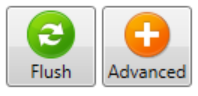
cid:image001.png@01D57D1E.114C4680

The software will flush both pumps, the fluidics lines and flow cell into the waste bottle. The flush fluid is drawn from the flush bottle (blue line), this can be filled with DI water or with a 50/50 mixture of IPA and water.  Following any experiments it is recommended that the flow cells are removed from the instrument and cleaned thoroughly using deionised water.

  • The instrument fluidic system can be flushed using the flush function built into the software, located in the top right of your screen. Ensure that the flow cell selected in the method tab corresponds with the flow cell installed onto the instrument. Click the Flush Button.
cid:image001.png@01D57D1E.114C4680

The software will flush both pumps, the fluidics lines and flow cell into the waste bottle. The flush fluid is drawn from the flush bottle (blue line), this can be filled with DI water or with a 50/50 mixture of IPA and water.  Following any experiments it is recommended that the flow cells are removed from the instrument and cleaned thoroughly using deionised water.

Support
What’s the SDi2’s Compact & Whole Dose Pump Flow rate parameters?
  • Compact Cell: 0.3 – 4 ml/min
  • Whole Dose Cell: 4.06 – 25.00 ml/min
  • Compact Cell: 0.3 – 4 ml/min
  • Whole Dose Cell: 4.06 – 25.00 ml/min
Support
How can I measure the flow rate?

Compact Pump Flow Rate Procedure

  1. Insert blank sample holder (no sample) into compact flow cell, and install the compact flow cell into the SDi2.
  2. Click Advanced Mode.
  3. Navigate to Advanced tab.
  4. Scroll down to Valve Settings.  
  5. Select valves 3, 5, and 6.
  6. Scroll down to Compact Pump.
  7. Enter a flow rate of 5.00 mL/min.
  8. Change current to 30.
  9. Click Start.
  10. Click Stop as soon as the flow cell is full of liquid and the liquid drains through the black waste tube.
  11. Ensure there are no leaks.
  12. Ensure flow rate is 5.00 mL/min.
  13. Put black waste tube into 100 mL measuring cylinder.
  14. Click Start (adjacent to the flow rate parameter).
  15. After 5 minutes, record volume collected in the measuring cylinder.  
  16. Enter a flow rate of 0.30 mL/min.
  17. Put black waste tube into 10 mL measuring cylinder.
  18. Click Start.
  19. After 10 minutes, record volume collected
  20. On Advanced tab, click Stop. Ensure flow of liquid has stopped.
  21. Whole Dose Cell Flow Rate Procedure  
  22. Install the empty whole dosage flow cell into the SDi2.
  23. Click Advanced mode.
  24. Navigate to Advanced tab.
  25. Scroll down to Valve Settings.  
  26. Select valves 3 and 6.
  27. Scroll down to Whole Dosage Pump.
  28. Enter a flow rate of 25.00 mL/min.
  29. Change current to 30.
  30. Click Start.
  31. Click Stop as soon as the flow cell is full of liquid and the liquid drains through the black waste tube.
  32. Ensure there are no leaks.
  33. Ensure flow rate is 25.00 mL/min.
  34. Put black waste tube into 100 mL measuring cylinder.
  35. Click Start (adjacent to the flow rate parameter).
  36. After 2 minutes, record volume collected.
  37. Enter a flow rate of 4.08 mL/min.
  38. Put black waste tube into 50 mL measuring cylinder.
  39. Click Start.
  40. After 10 minutes, record volume collected in measuring cylinder.
  41. On the Advanced tab, click Stop. Ensure flow of liquid has stopped.

N.B. Flow rates and collection times can be adjusted to measure any desired flow rate.

Compact Pump Flow Rate Procedure

  1. Insert blank sample holder (no sample) into compact flow cell, and install the compact flow cell into the SDi2.
  2. Click Advanced Mode.
  3. Navigate to Advanced tab.
  4. Scroll down to Valve Settings.  
  5. Select valves 3, 5, and 6.
  6. Scroll down to Compact Pump.
  7. Enter a flow rate of 5.00 mL/min.
  8. Change current to 30.
  9. Click Start.
  10. Click Stop as soon as the flow cell is full of liquid and the liquid drains through the black waste tube.
  11. Ensure there are no leaks.
  12. Ensure flow rate is 5.00 mL/min.
  13. Put black waste tube into 100 mL measuring cylinder.
  14. Click Start (adjacent to the flow rate parameter).
  15. After 5 minutes, record volume collected in the measuring cylinder.  
  16. Enter a flow rate of 0.30 mL/min.
  17. Put black waste tube into 10 mL measuring cylinder.
  18. Click Start.
  19. After 10 minutes, record volume collected
  20. On Advanced tab, click Stop. Ensure flow of liquid has stopped.
  21. Whole Dose Cell Flow Rate Procedure  
  22. Install the empty whole dosage flow cell into the SDi2.
  23. Click Advanced mode.
  24. Navigate to Advanced tab.
  25. Scroll down to Valve Settings.  
  26. Select valves 3 and 6.
  27. Scroll down to Whole Dosage Pump.
  28. Enter a flow rate of 25.00 mL/min.
  29. Change current to 30.
  30. Click Start.
  31. Click Stop as soon as the flow cell is full of liquid and the liquid drains through the black waste tube.
  32. Ensure there are no leaks.
  33. Ensure flow rate is 25.00 mL/min.
  34. Put black waste tube into 100 mL measuring cylinder.
  35. Click Start (adjacent to the flow rate parameter).
  36. After 2 minutes, record volume collected.
  37. Enter a flow rate of 4.08 mL/min.
  38. Put black waste tube into 50 mL measuring cylinder.
  39. Click Start.
  40. After 10 minutes, record volume collected in measuring cylinder.
  41. On the Advanced tab, click Stop. Ensure flow of liquid has stopped.

N.B. Flow rates and collection times can be adjusted to measure any desired flow rate.

Resources and Videos

Get the most out of your Pion instruments with our customer-focused resources and videos. Designed to answer your frequently asked questions, guide you through routine maintenance, and troubleshoot common issues, these resources help keep your workflows running smoothly.

Resources

Software Activation Code

Need to activate your Pion software or unlock additional features? Fill out the form with your information, and our team will provide your activation or unlock code promptly.

Software Activation Code

Submit a Support Ticket

Encountering an instrument issue? Submit a support request and our technical team will provide expert guidance to get you back on track quickly.

Submit a Support Ticket